
Quick Start (3-Minute Setup)
Install and launch XianScan standalone server to translate your first raw comic chapter in under 3 minutes.
1. Download the Standalone Binary
XianScan ships as a single, self-contained executable with the SvelteKit web interface, ONNX neural inference engine, and SQLite database embedded directly inside.
| Platform | Release Archive | Acceleration Support |
|---|---|---|
| Windows 10 / 11 (x86_64) | xianscan-windows-x86_64.zip (contains xianscan.exe) | DirectML (NVIDIA, AMD, Intel) & CPU |
| Linux (x86_64 / glibc 2.31+) | xianscan-linux-x86_64.tar.gz (contains xianscan) | CUDA 12 & CPU |
| macOS (Apple Silicon M1-M4) | xianscan-macos-arm64.tar.gz (contains xianscan) | Apple Neural Engine (CoreML / Metal) & CPU |
Download the latest release archive from the GitHub Releases page.
2. Launch the Server
Windows:
Extract the ZIP archive and double-click xianscan.exe in File Explorer (a dedicated console window will open automatically) or run .\xianscan.exe inside PowerShell / Command Prompt.
Linux / macOS:
Extract the archive, make the binary executable, and run it in your terminal:
chmod +x xianscan
./xianscan
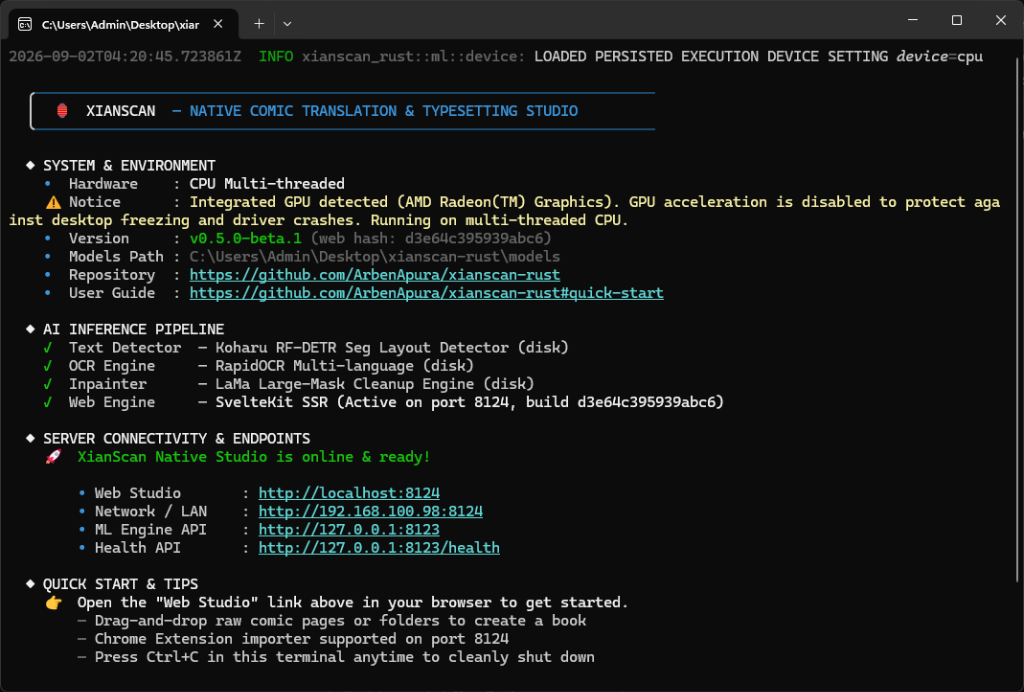
Upon launch, XianScan logs its startup sequence directly in the terminal / console (initializing hardware acceleration, loading AI model weights, extracting embedded assets, and starting the local server):
3. Translate Your First Chapter
- Open http://localhost:8124 in your web browser.
- In the Library, click New Book and set your series title, source language (e.g. Chinese, Korean, Japanese), and target language (e.g. English).
- Inside your book, create a chapter or drag-and-drop a raw comic folder / image files (JPG, PNG, WebP) directly onto the dropzone.
- Click Translate All on the top toolbar. Watch live real-time progress as Koharu RF-DETR detects speech bubbles, OCR extracts dialogue, and LaMa inpaints backgrounds.
- Switch to Webtoon Reader View to enjoy continuous reading with automated typesetting!